From PLM to Shopify in One Prompt: Building Sync Check with reShapr

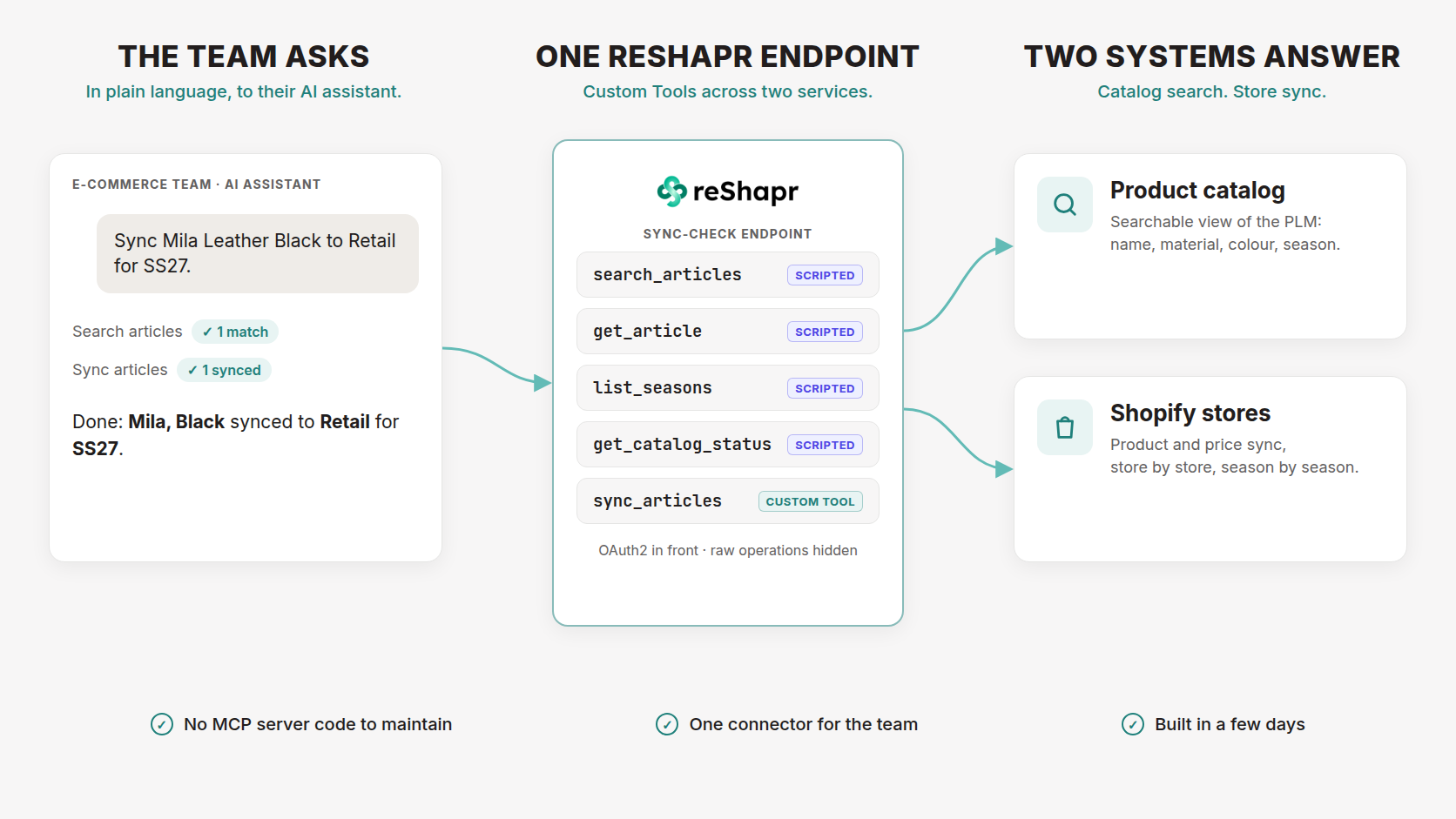
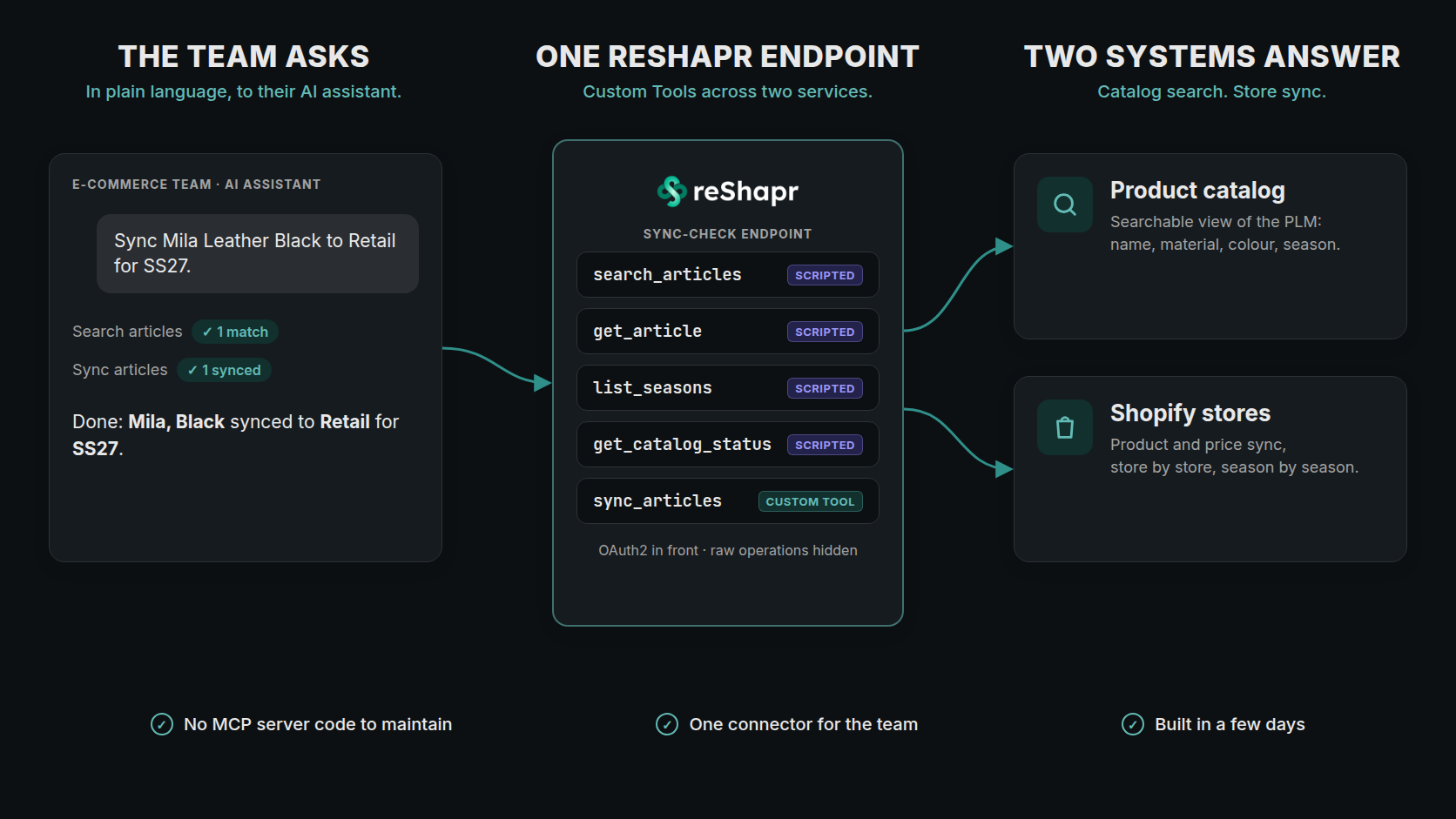
Every season, the team at a fashion brand I worked with has to get product and price data from its PLM (Product Lifecycle Management) system into several Shopify stores. Until recently, that meant manual edits and spreadsheet imports: a few minutes per SKU, per store, multiplied across every store and every season.
Today, someone on the team types "Sync Mila Leather Black to Retail for SS27" into their AI assistant (like Claude, Codex, etc.), and it's done.
I'm an independent automation consultant, and I built the connector behind that sentence, which I called Sync Check, on reShapr. I didn't write an MCP server to do it. Here's how it came together, and why reShapr was the right tool for the job.
Two useful APIs nobody could talk to
Two pieces already existed. The first was the brand's PLM: the system where each product is designed and managed from first sketch to sale, with its styles, materials, colours and seasons. Its API answers "give me article X". The second was a multi-store Shopify sync API, which I had built in n8n: it could push several articles at once, for any season, to any of the target stores. Both did their job.
Neither was something a merchandiser could use. You need an exact article number, a season code and a target name, and then you need to read a JSON response correctly. What the team wanted was a conversation: find the product I mean, check it exists for this season, and push it to that store.
First, make the catalog searchable
An AI assistant doesn't know article numbers. It knows what people say: "the black leather Mila", "everything in SS27". The PLM API could not answer "which black leather articles are in SS27?", so the first step was a small catalog service: a searchable copy of the PLM product catalog, refreshed on a schedule, with fuzzy name matching and filters for material, colour and season.
It ships with an OpenAPI document, and that is all reShapr needs.
Why reShapr, not another MCP server
I write code, and the catalog service itself is code. I could have written an MCP server too. I didn't, for three reasons:
- No MCP server code. reShapr imports an OpenAPI document and serves its operations as MCP tools. Both APIs already existed, so there was no third service to write, host, patch and secure.
- One endpoint over several APIs. Scripted Custom Tools can call tools on another Service in the same organization. The team gets one connector for search and sync without anyone merging the two APIs.
- Security and control. OAuth2 sits in front of the endpoint. The Configuration Plan decides which operations are exposed, and Custom Tools give each tool a name and a description written for the model rather than for an HTTP client.
One connector, two Services
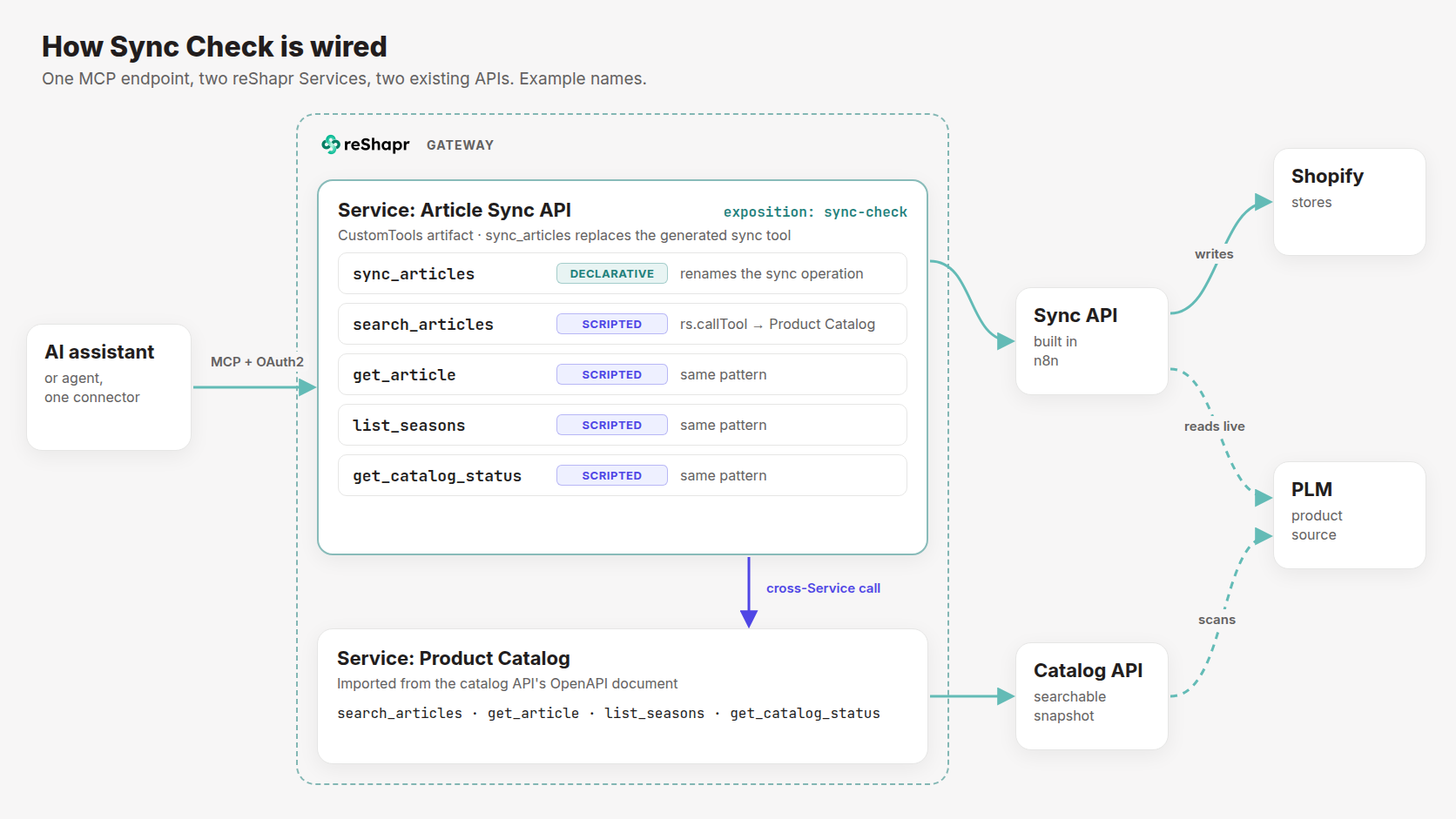
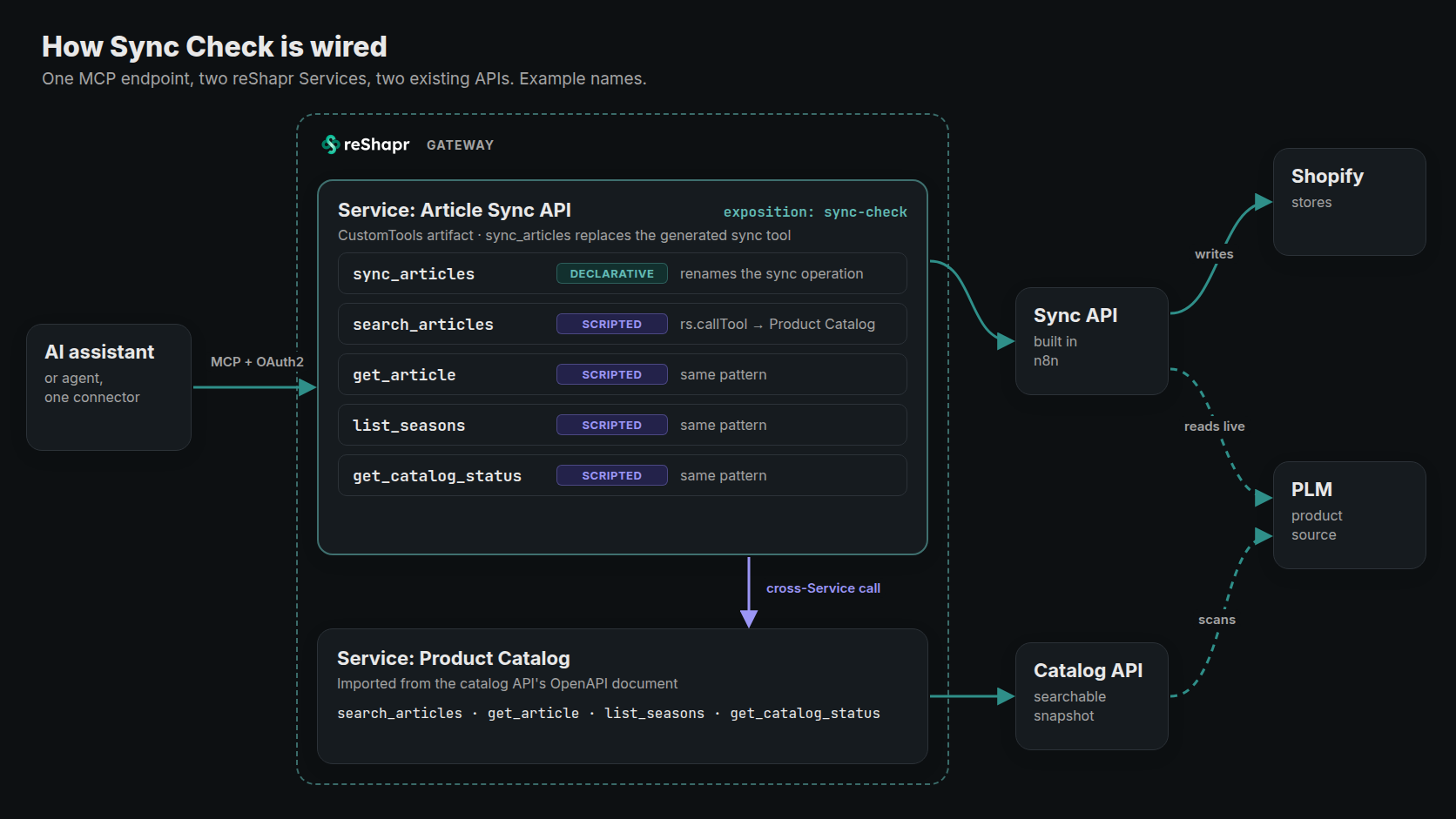
I imported the two OpenAPI documents as two reShapr Services, called Article Sync API and Product Catalog here. Each keeps its own backend and its own credentials. There is no merged specification and no reverse proxy in front of both.
The endpoint the team connects to, sync-check, is exposed from the sync Service. A single CustomTools artifact attached to that Service does two things:
- A declarative Custom Tool,
sync_articles, overrides and replaces the tool generated from the sync operation. The generated name was derived from the endpoint's URL path and meant nothing to a model; AI assistants and agents now only see the business verb. - Four scripted Custom Tools,
search_articles,get_article,list_seasonsandget_catalog_status, forward to the Product Catalog Service withrs.callTool. Each one declares its target in thetoolsallow-list, which reShapr checks before the script runs.
Here's what one of the wrappers looks like, simplified:
# Example, simplified: one of the four catalog wrappers
apiVersion: reshapr.io/v1alpha1
kind: CustomTools
service:
  name: Article Sync API
  version: '1.2.0'
customTools:
  search_articles:
    description: >-
      Search the product catalog by name, material, colour and season.
      Returns the article numbers that sync_articles accepts.
    input:
      type: object
      properties:
        name:
          type: string
          description: Product name, or part of it
        season_names:
          type: array
          items:
            type: string
    tools:
      - service: "Product Catalog:1.0.0"
        tool: search_articles
    script: |
      const r = rs.callTool('Product Catalog:1.0.0', 'search_articles', input);
      if (!r.ok) {
        rs.fail('The catalog could not be reached', { error: r.error });
      }
      return r.content;
The script never talks to a backend directly. Every call it makes goes through reShapr, so security, backend secrets and audit apply to it like any other tool call.
Descriptions are the interface
A model only knows what a tool's description tells it, and that mattered most for the one tool that writes to production stores.
The sync API answers HTTP 200 as soon as it has processed a request, even when an article failed to sync. A model that trusts the status code will report success that didn't happen. So the sync_articles description spells out how to read the result:
An HTTP 200 with status "completed" does not mean anything synced; it means the request was processed. Read outcome: "all_synced", "partial" or "all_failed" […] Report a batch as successful only when outcome is "all_synced".
It also says which article identifier to use (the one search_articles returns), which failures are worth a retry, and which mean "this product doesn't exist in that store yet" and should go to a person instead. None of this required changing the sync API. It lives in the Custom Tool, next to the name the model sees.
In action: from a name to a sync
Here is the whole flow in one turn. The model searches the catalog by name, material, colour and season, gets exactly one match, syncs that article to the Retail store, and checks the per-article result before saying it's done.

A recreation of a verified session, not a screen capture. Product names, article numbers and the request ID are examples.
The person asking never saw an article number, a season code format or a JSON payload. They named a product the way they would to a colleague.
What changed
- Time. A product and price update used to take a few minutes per SKU per store, by hand, multiplied across stores and seasons. Now it's one sentence to their AI assistant, and the answer says exactly which article went to which store.
- Build effort. It took a few days to go from two existing APIs to a connector the team uses every day, and none of those days went into writing an MCP server.
- Maintenance. There is no MCP server of mine to deploy or patch. The moving parts are two OpenAPI documents and one
CustomToolsartifact.
If you're about to build the same
- Start from the OpenAPI documents you already have. reShapr turns them into tools; Custom Tools let you rename and describe the ones that matter.
- Write descriptions for the model, especially where the API behaves in a way a reasonable caller wouldn't expect.
- Give users one connector. They shouldn't have to know which system answers which question.
- Replace raw operations with business verbs. A Custom Tool replaces the generated tool it overrides, and the Configuration Plan controls what else is visible.
- Prove one trivial cross-Service call first, then write the real wrappers on top of it.
If your APIs are still out of reach of your AI assistants and agents, this pattern is a few days of work, not a new service. The Custom Tools specification and the Build a Scripted Custom Tool guide cover everything used here, and From API Sprawl to Agent Actions explains why task-shaped tools beat raw API exposure.