Gateway Groups, Gateways, and Proxies
Gateway Groups connect desired MCP configuration to logical Gateways registered by reShapr proxy instances. They let an organization target a changing set of serving instances without naming each proxy in every Exposition.
The terms describe different layers:
- a Gateway is the logical resource visible in the control plane, APIs, CLI, and Web UI;
- a Gateway Group selects Gateways by labels and is the target referenced by an Exposition;
- a reShapr proxy is the deployable data-plane process that registers a Gateway, exposes MCP endpoints, and calls backend APIs.
The proxy is specific to reShapr's MCP data plane. It is not a general-purpose AI Gateway. Where broader model routing, policy, or traffic controls are required, a compatible AI Gateway can be deployed in front of the MCP endpoint served by the proxy.
Gateway Groups are configuration targets
A Gateway Group is a named, organization-owned resource with a set of labels. An Exposition targets one or more Gateway Groups instead of addressing individual proxy instances.
Labels can express deployment criteria such as environment=production, region=eu-west, or organization=acme. Their meaning is an operator convention: a label does not by itself enforce network isolation, data residency, capacity, or a service level.
Proxies register Gateways dynamically
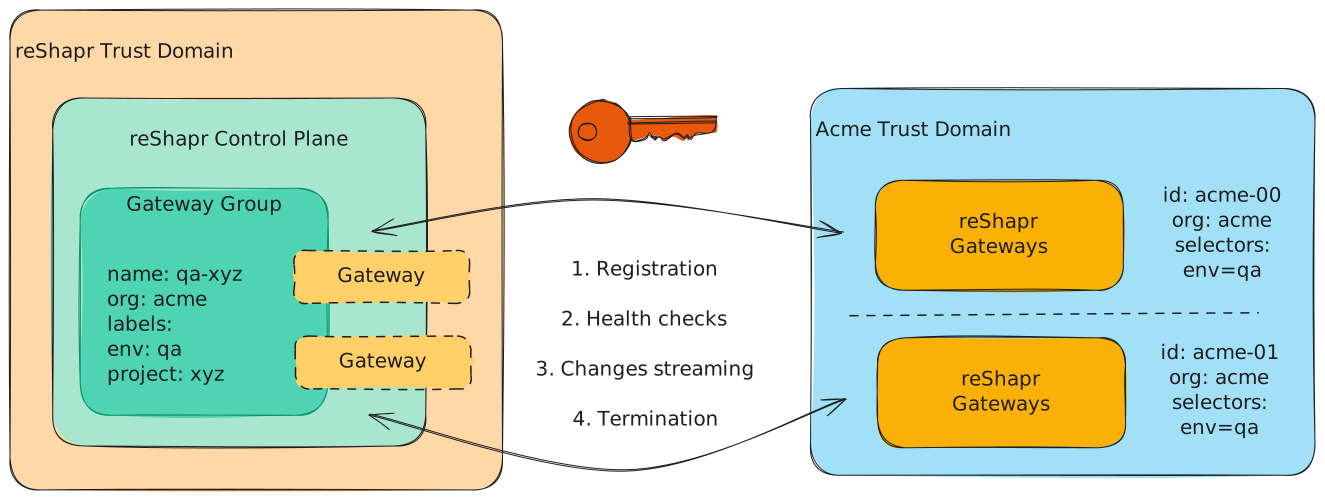
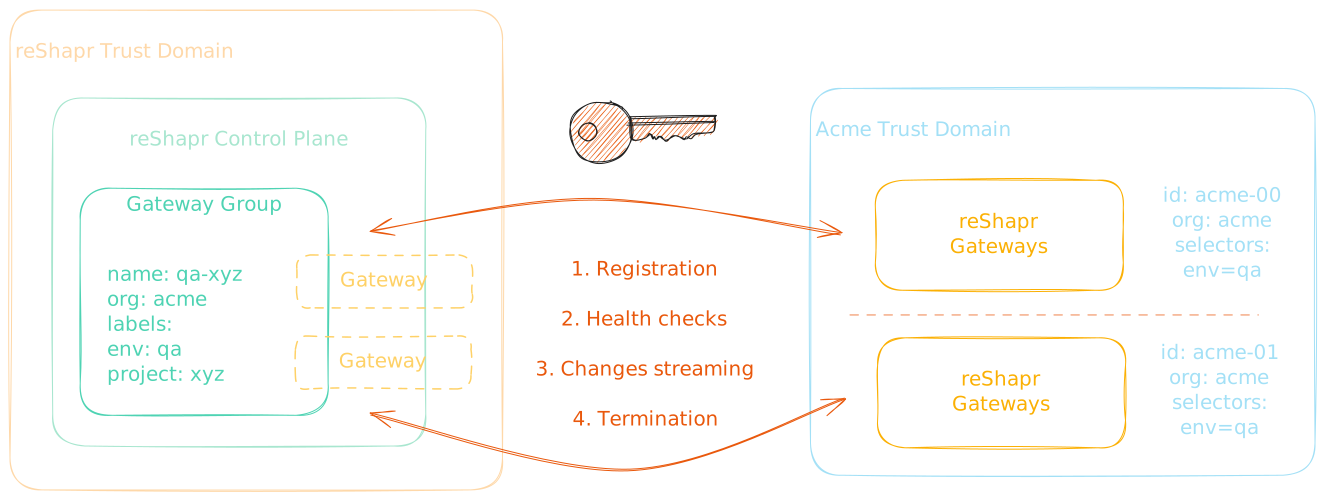
A proxy exposes MCP endpoints and dispatches Tool calls to backend APIs. When it starts, it registers a logical Gateway with its identity, labels, FQDNs, and version. The control plane uses those labels to find matching Gateway Groups and returns the Expositions the proxy must serve.
This Gateway registration is ephemeral. Starting another proxy with matching labels makes its Gateway eligible for the same configuration; stopping a proxy does not delete the Gateway Groups or Expositions it matched.
The synchronization unit delivered to the proxy is the Exposition. Its referenced Service and Configuration Plan determine the resulting MCP surface.
Matching is many-to-many
A Gateway can match several Gateway Groups, and a Gateway Group can match several Gateways. For example, a Gateway registered by a proxy with the labels organization=acme, environment=production, and region=eu-west can match groups that select any compatible combination of those labels.
This many-to-many relationship supports several runtime layouts without changing an Exposition whenever an individual proxy starts, stops, or is replaced. Duplicate or conflicting exposure behavior still depends on the routes, FQDNs, and Expositions configured by the operator.
Related concepts
- Deployment Models and Trust Boundaries explains where control planes and proxies can run and which traffic crosses each boundary.
- Control Plane to Proxy Synchronization describes registration, initial discovery, change events, health, and recovery.
- Deploy a Hybrid reShapr Proxy applies this model to a proxy running in another trust domain.